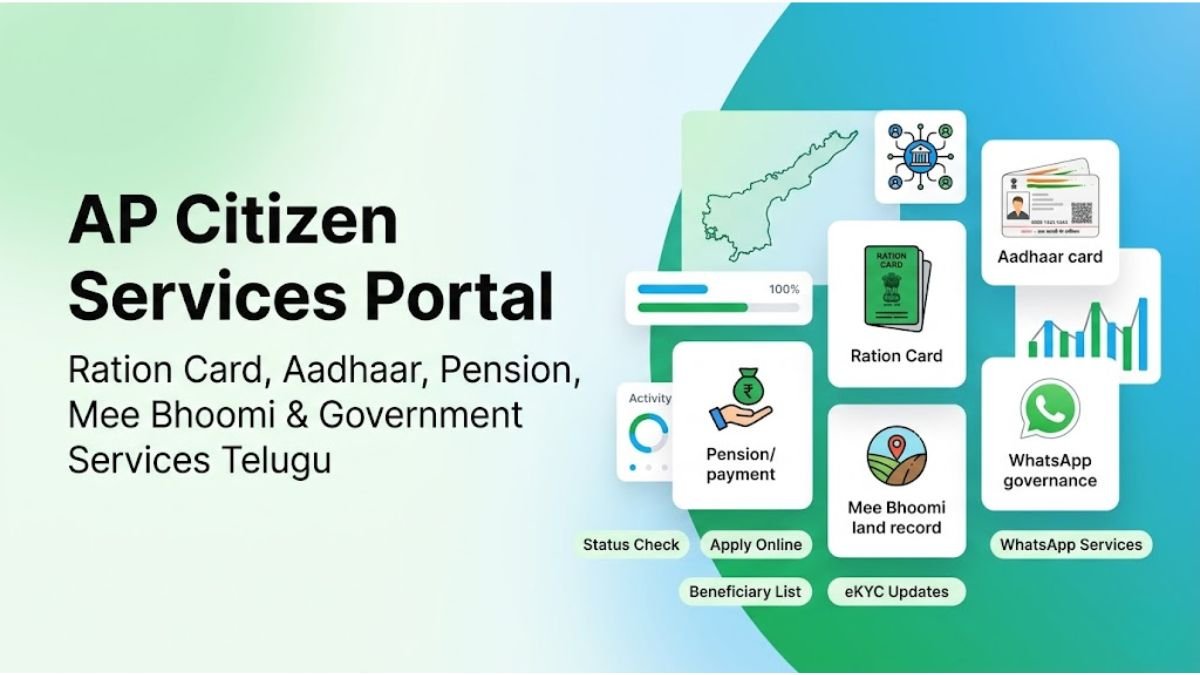
AP Citizen Services Portal – Ration Card Status, Aadhaar, Pension, Mee Bhoomi & Government Services Telugu
ఆంధ్రప్రదేశ్ ప్రభుత్వ సేవలకు సంబంధించిన AP ration card status check, Aadhaar services, pension status, PM Kisan beneficiary status, Mee Bhoomi land records, eKYC updates, WhatsApp governance services, apply online process, beneficiary lists మరియు download PDF guides ను సులభమైన తెలుగు లో తెలుసుకోండి.
Popular AP Government Services & Status Check Telugu
ఆంధ్రప్రదేశ్ ప్రజలు ఎక్కువగా ఉపయోగించే AP ration card status check, Aadhaar services, pension status, PM Kisan beneficiary details, Mee Bhoomi land records, WhatsApp governance services, beneficiary lists, eKYC updates మరియు apply online guides ను ఒకే చోట సులభంగా access చేయండి.
Ration Card Status
AP ration card status check, rice card download, eKYC status, member details మరియు Aadhaar seeding సమాచారం step-by-step తెలుసుకోండి.
Open ServiceAadhaar Services
Aadhaar update status, mobile number link, PVC card download, biometric update, address correction మరియు Aadhaar services guides పొందండి.
Open ServicePension Status
AP pension status, beneficiary details, payment updates, eKYC status మరియు pension related citizen services తెలుసుకోండి.
Open ServicePM Kisan Status
PM Kisan beneficiary status, installment payment details, farmer eKYC updates, rejected status మరియు farmer scheme information పొందండి.
Open ServiceMee Bhoomi Land Records
Mee Bhoomi Adangal, survey number search, land passbook download, FMB map మరియు AP land record services access చేయండి.
Open ServiceWhatsApp Governance
AP Mana Mitra WhatsApp services, government chatbot services, certificate updates, citizen services మరియు WhatsApp governance details తెలుసుకోండి.
Open ServiceBeneficiary Lists
Government scheme beneficiary list, ration card beneficiaries, pension lists, PM Kisan lists మరియు latest beneficiary updates పొందండి.
Open ServiceStatus Check Services
AP government status check services, application status, eKYC verification, payment status మరియు citizen service tracking తెలుసుకోండి.
Open ServiceLatest AP Government Updates & Citizen Services News
ఆంధ్రప్రదేశ్ ప్రభుత్వ సేవలు, ration card updates, Aadhaar notifications, pension payment news, PM Kisan installment updates, Mee Bhoomi services, WhatsApp governance services మరియు latest beneficiary updates ను తెలుసుకోండి.

AP Ration Card eKYC Status Check & Latest Update 2026
Rice card eKYC pending status, biometric verification, member details మరియు Aadhaar seeding process గురించి తెలుసుకోండి.
Read Full Update
AP Pension Payment Status & Beneficiary Update
Pension amount release date, payment status, beneficiary details మరియు pension eKYC updates తెలుసుకోండి.
Read Full Update
PM Kisan Beneficiary Status & Installment Release Date
PM Kisan installment payment status, farmer eKYC updates మరియు beneficiary list వివరాలు తెలుసుకోండి.
Read Full Update
AP Mana Mitra WhatsApp Services & Citizen Updates
9552300009 Mana Mitra WhatsApp governance services, certificate updates మరియు citizen service details పొందండి.
Read Full UpdateAP Status Check Services & Beneficiary Updates
AP government services కు సంబంధించిన ration card status, Aadhaar update status, pension payment status, PM Kisan beneficiary details, Mee Bhoomi land records, eKYC verification మరియు application tracking services ను సులభంగా check చేయండి.
Ration Card Status Check
AP ration card active status, rice card download, eKYC pending status, rejected status మరియు family member details తెలుసుకోండి.
Check StatusAadhaar Update Status
Aadhaar correction status, mobile number link, PVC card order status మరియు biometric update tracking information పొందండి.
Check StatusPension Payment Status
AP pension beneficiary status, payment release details, eKYC updates మరియు monthly pension information తెలుసుకోండి.
Check StatusPM Kisan Beneficiary Status
PM Kisan installment payment status, farmer eKYC verification మరియు beneficiary list updates పొందండి.
Check StatusMee Bhoomi Land Status
Mee Bhoomi Adangal, survey number search, land ownership details మరియు land passbook services access చేయండి.
Check StatusWhatsApp Governance Services
AP Mana Mitra WhatsApp governance services, certificate updates, application tracking మరియు citizen services information తెలుసుకోండి.
Open ServicesAP WhatsApp Governance Services & Mana Mitra Updates
ఆంధ్రప్రదేశ్ ప్రభుత్వం Mana Mitra WhatsApp Governance ద్వారా పలు citizen services ను WhatsApp లో అందిస్తోంది. AP government WhatsApp services, ration card updates, certificate services, application tracking మరియు citizen support సేవలను సులభంగా access చేయండి.
Ration Card Services
Rice card status, eKYC updates, member addition, application tracking మరియు ration card related WhatsApp services తెలుసుకోండి.
Certificate Services
Government certificates, citizen service requests, application updates మరియు WhatsApp governance services access చేయండి.
Government Updates
Latest AP government updates, beneficiary information, citizen alerts మరియు scheme notifications పొందండి.
Application Tracking
Application status tracking, beneficiary verification, eKYC updates మరియు citizen service status check చేయండి.
Mana Mitra WhatsApp Service ఎలా ఉపయోగించాలి?
- మీ mobile లో 9552300009 number save చేయండి.
- WhatsApp open చేసి Hi లేదా Hello అని message పంపండి.
- Language మరియు available citizen services menu కనిపిస్తుంది.
- మీకు కావలసిన AP government service option select చేయండి.
- Application tracking, beneficiary updates లేదా citizen services ను access చేయండి.
District Wise AP Government Services & Status Check
ఆంధ్రప్రదేశ్లోని అన్ని జిల్లాలకు సంబంధించిన ration card status, Aadhaar services, pension updates, Mee Bhoomi land records, PM Kisan beneficiary status మరియు WhatsApp governance services ను district-wise గా సులభంగా access చేయండి.
Alluri Sitharama Raju
Alluri Sitharama Raju district ration card services, beneficiary lists మరియు citizen updates తెలుసుకోండి.
Anakapalli
Anakapalli district ration card status, pension services మరియు Mee Bhoomi updates access చేయండి.
Ananthapuramu
Ananthapuramu district Aadhaar services, ration card status మరియు PM Kisan details తెలుసుకోండి.
Annamayya
Annamayya district government services, beneficiary lists మరియు land records తెలుసుకోండి.
Bapatla
Bapatla district ration card status, Aadhaar updates మరియు PM Kisan services access చేయండి.
Chittoor
Chittoor district Mee Bhoomi records, ration card status మరియు pension services పొందండి.
East Godavari
East Godavari district citizen services, beneficiary lists మరియు government updates తెలుసుకోండి.
Eluru
Eluru district pension status, Mee Bhoomi land records మరియు citizen services తెలుసుకోండి.
Guntur
Guntur district ration card status, PM Kisan updates మరియు Aadhaar services access చేయండి.
Kakinada
Kakinada district land records, ration card services మరియు beneficiary updates పొందండి.
Krishna
Krishna district Aadhaar services, Mee Bhoomi మరియు pension updates తెలుసుకోండి.
Kurnool
Kurnool district ration card status, beneficiary lists మరియు citizen services access చేయండి.
Nandyal
Nandyal district PM Kisan services, pension status మరియు Aadhaar updates తెలుసుకోండి.
NTR District
NTR district government services, ration card updates మరియు Mee Bhoomi services access చేయండి.
Palnadu
Palnadu district citizen services, beneficiary details మరియు pension updates పొందండి.
Prakasam
Prakasam district ration card services, land records మరియు WhatsApp governance updates తెలుసుకోండి.
SPSR Nellore
Nellore district PM Kisan beneficiary status, ration card services మరియు land records access చేయండి.
Srikakulam
Srikakulam district ration card status, beneficiary lists మరియు Mee Bhoomi services తెలుసుకోండి.
Tirupati
Tirupati district Aadhaar services, ration card updates మరియు pension details పొందండి.
Visakhapatnam
Visakhapatnam district government services, beneficiary updates మరియు citizen services access చేయండి.
Vizianagaram
Vizianagaram district ration card status, Mee Bhoomi మరియు citizen service information తెలుసుకోండి.
West Godavari
West Godavari district PM Kisan updates, pension services మరియు beneficiary details పొందండి.
YSR Kadapa
YSR Kadapa district ration card status, pension services మరియు Mee Bhoomi records తెలుసుకోండి.
AP Government Services FAQs & Citizen Help Guide
AP ration card status, Aadhaar services, pension status, PM Kisan beneficiary updates, Mee Bhoomi land records, WhatsApp governance services మరియు citizen services కు సంబంధించిన frequently asked questions మరియు helpful Telugu information తెలుసుకోండి.
About AP Citizen Services Portal
AP Citizen Services Portal ద్వారా Andhra Pradesh government services, ration card updates, Aadhaar services, pension status, PM Kisan beneficiary details, Mee Bhoomi land records, WhatsApp governance services మరియు citizen help guides ను సులభమైన తెలుగు లో అందిస్తున్నాము.
Our Mission
ఆంధ్రప్రదేశ్ ప్రజలకు government services సంబంధించిన accurate Telugu information ను ఒకే చోట అందించడం మా లక్ష్యం. Ration card status, Aadhaar updates, pension services, beneficiary lists మరియు citizen services ను సులభంగా అందరికీ చేరవేయడానికి ఈ portal రూపొందించబడింది.
Our Vision
Andhra Pradesh citizens కు fast, simple మరియు easy-to-understand government service information platform గా మారడం మా vision. Telugu users కు useful citizen service guides, status check updates మరియు government scheme information ను నిరంతరం అందించడమే మా ప్రధాన ఉద్దేశ్యం.
Contact Us
Website suggestions, corrections, partnership inquiries, content updates లేదా citizen service related feedback కోసం మాతో contact అవ్వవచ్చు. Useful AP government service information ను మరింత మెరుగుపరచడానికి మీ feedback మాకు సహాయపడుతుంది.
Join Our WhatsApp & Telegram Groups
Latest AP government updates, ration card news, pension payment alerts, PM Kisan updates, Aadhaar notifications, Mee Bhoomi services మరియు beneficiary updates కోసం మా WhatsApp & Telegram groups లో join అవ్వండి.
AP Citizen Services Portal ఒక informational website మాత్రమే. ఈ website ఏ ప్రభుత్వ సంస్థకు అధికారికంగా సంబంధించినది కాదు. ఇక్కడ అందించే ration card updates, Aadhaar services, pension status, PM Kisan information, Mee Bhoomi land records, WhatsApp governance services మరియు government scheme details వివిధ public sources మరియు official portals ఆధారంగా citizen awareness కోసం అందించబడుతున్నాయి.Official verification, final approval, beneficiary confirmation, application processing మరియు government transactions కోసం సంబంధిత official government portals, departments, Grama/Ward Sachivalayam లేదా authorized service centers ను మాత్రమే ఉపయోగించండి.Users తమ personal information, OTP, Aadhaar details మరియు banking information ను unofficial sources తో share చేయకుండా జాగ్రత్తగా ఉండాలి.